SharePoint 2007 Content Deployment Job Error “Specified argument was out of the range of valid values”

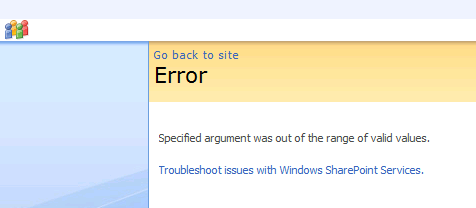
   This week I ran into an interesting error with a customer.  The customer has defined a SharePoint 2007 content deployment path to push content from one SharePoint 2007 farm to another SharePoint 2007 farm.  They can complete 1 full deploy and 1 incremental deploy, but then all incremental deploys error with the following message: “Specified argument was out of the range of valid values”.
ContentDeploymentFailure1r


Cause

   In order to get more insight into the error I used ULSViewer to inspect the ULS logs on the server (ULSViewer is not required to read the ULS logs, it just makes it easier to sort through them).  Looking at the selected log message there was an error when attempting to clean up the content deployment job reports list.

ContentDeploymentFailure2r


Solution

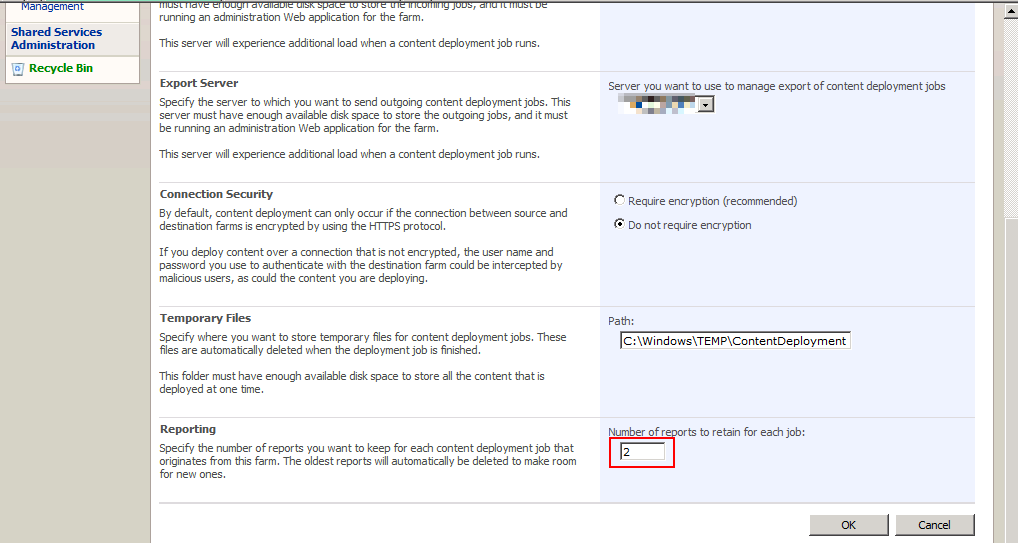
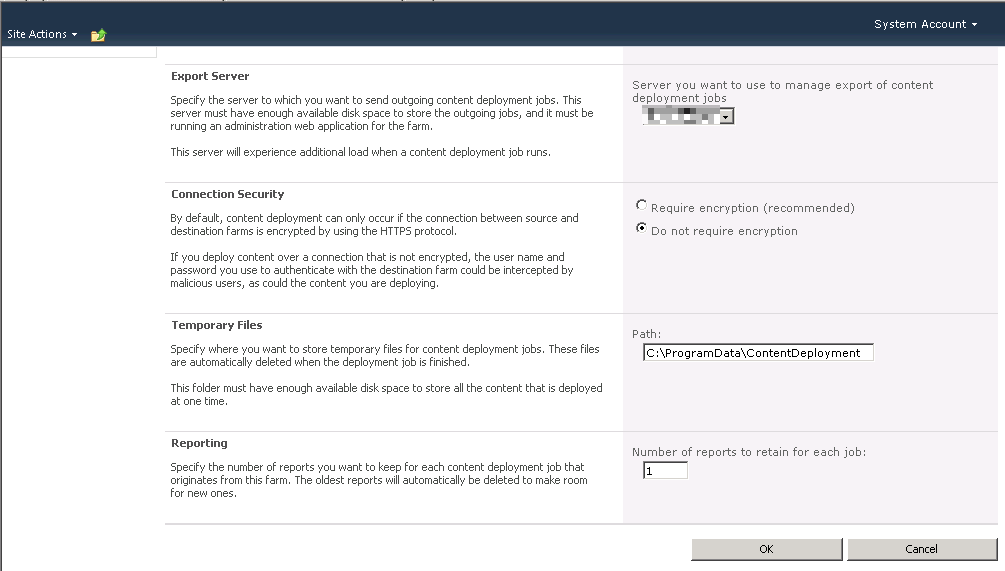
   The solution to this issue is fairly simple.  On the customer farm they had set the number of reports to keep at 1.  The default value is 20 but they had changed to 1 to conserve space which was limited on this server.  Apparently this caused an issue in which the timer job would error when attempting to clean up the reports list.  We changed the value to 2 and tried to re-run the job.  The job completed successfully for all that we tried.  Problem solved. ContentDeploymentFailure3r
 

SharePoint 2010 Consideration

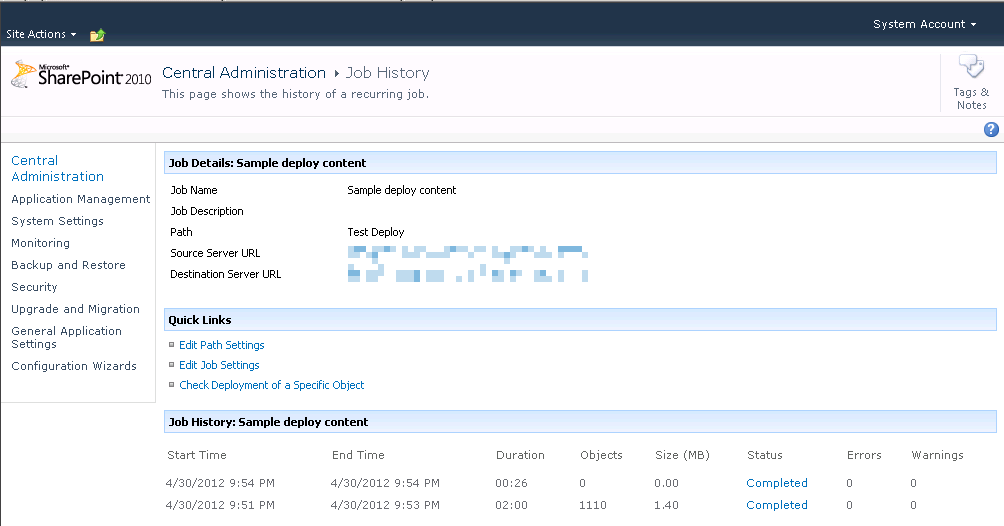
   After testing this out in SharePoint 2007 I decided to try this in SharePoint 2010.  Thankfully it appears this has been corrected in 2010.  I set the number of reports to 1 and was able to execute the job multiple times.
ContentDeploymentFailure5r


ContentDeploymentFailure4r


Conclusion

   If you are using content deployment jobs in SharePoint 2007 be sure that you set the number of reports to keep to a number greater than 1.  Apparently there is a issue with a value of 1 where the timer job cannot clean up the reports list due to an out of range exception.  This does not appear to be an issue in SharePoint 2010.


      -Frog Out
Slides and Pictures from PowerShell Saturday Columbus 2012

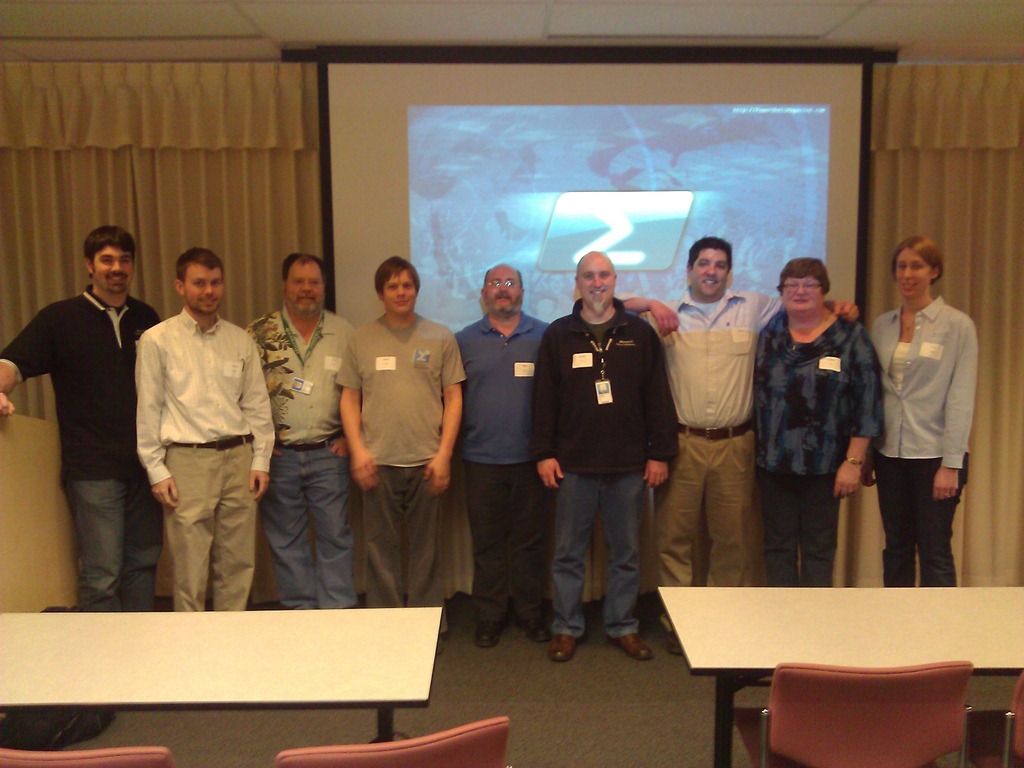
On March 10th, 2012 the first ever PowerShell Saturday conference took place in Columbus, OH and I couldn’t be happier with the outcome.  We had 100 attendees from 10 different states (the biggest surprise to me) come to see 6 speakers present on a variety of PowerShell topics: introduction, WMI, SharePoint, Active Directory, Exchange, 3rd party products and more.


WP_000158

A big thank you also goes out to a number of people.

Planning committee

Speakers

Volunteer

  • Lisa Gardner, fellow Microsoft PFE volunteered her time on a Saturday to assist with smooth operation of the day

Facility Coordination

  • Debbie Carrier, facilities coordinator for the Columbus Microsoft Office and helped us out greatly with the venue


Slides and Script Samples

I presented my session on “PowerShell for the SharePoint 2010 Developer”.  Below you can download the slides and script samples.


Photos

I wasn’t able to take took many pictures (only 3) as I was busy doing my presentation, answering questions, and taking care of random items throughout the day.


Pictures on Facebook

click here

Pictures on SkyDrive (higher res)

Conclusion

I’m very happy that this first ever PowerShell Saturday was a success.  My fellow PFE and speaker Ashley McGlone also has a short write-up on his blog about the event (click here).  I have heard rumors that there are other cities starting to plan their own local events.  When I hear more details I’ll spread the word here and on Twitter.


-Frog Out

Speaking at SharePoint Cincy and SharePoint Saturday Twin Cities

I have a few conferences I’ll be speaking at in the next few weeks.  The first is SharePoint Cincy in Cincinnati, OH on Friday March 16th.  The other is SharePoint Saturday Twin Cities in Minneapolis, MN on April 14th.  Below are the details for each.  Assuming copies of my book arrive in time for either conference I’ll be giving away a book or two and signing them.  Stop by and see me if you’ll be attending either conference.


Sessions

SharePointCincy2012

Where: SharePoint Cincy 2012

Title: PowerShell for the SharePoint 2010 Developer

Audience and Level: Developer, Intermediate

Abstract: PowerShell is not just for SharePoint 2010 administrators. Developers also get access to a wide range of functionality with PowerShell. In this session we will dive into using PowerShell with the .Net framework, web services, and native SharePoint commandlets. We will also cover some of the more intermediate to advanced techniques available within PowerShell that will improve your work efficiency. Not only will you learn how to automate your work but also learn ways to prototype solutions faster. This session is targeted to developers and assumes a basic familiarity with PowerShell.

Slides and Code download:


2012_SPSTwinCities_Logo_300

Where: SharePoint Saturday Twin Cities 2012

Title: SharePoint 2010 and Integrating Line of Business Applications

Audience and Level: Developer, Intermediate

Abstract: PowerShell is not just for SharePoint 2010 administrators. Developers also get access to a wide range of functionality with PowerShell. In this session we will dive into using PowerShell with the .Net framework, web services, and native SharePoint commandlets. We will also cover some of the more intermediate to advanced techniques available within PowerShell that will improve your work efficiency. Not only will you learn how to automate your work but also learn ways to prototype solutions faster. This session is targeted to developers and assumes a basic familiarity with PowerShell.

Slides and Code download:


-Frog Out

My First Published Book Is Out

BookCover

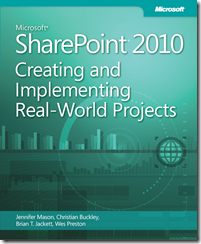
   Wow, today is an exciting day for me: I’m officially an author of a published book.  The book is titled Microsoft SharePoint 2010: Creating and Implementing Real-World Projects.  Here is the blurb from the back cover:

Build effective solutions for real-world business scenarios—using out-of-the-box tools in Microsoft SharePoint Server, SharePoint Foundation, and Office 365.  Each chapter in this hands-on book focuses on a single business project, using a standard approach to guide you through the solution-building process from start to finish.  Apply your skills as a SharePoint power user or site administrator—and get started now.

The book is the result of numerous hours of effort and dedication with my great co-authors Jennifer Mason, Wes Preston, and Christian Buckley along with our publisher Microsoft Press.  You can purchase it on O’Reilly and Amazon as well as other retailers that are stocking it.  There are both eBook and print versions available to suit your reading preference.  I’m starting to hear of people receiving their copies of their book and I’m looking forward to hearing any feedback you have on the book.  If / when you pick up a copy please leave some comments or drop me a line.  We’ll be doing book signings at various events so look out for a chance to get a signed copy.


-Frog Out

What I Pack In My Travel Backpack

Disclaimer:, The views and opinions expressed in this post are solely my own and I’m not getting paid or compensated for anything.


A number of friends having been posting about what they pack into their work travel backpack lately.  Since I started traveling frequently with Microsoft I’ve been slowly gathering various pieces of equipment for my own backpack.  I’m at a fairly stable point and felt ready to share my list.  Note that my backpack is intended for a heavy amount of week long travel with a somewhat hefty laptop (below) and versatile equipment for numerous scenarios I can’t always predict.  If you travel frequently feel free to borrow any ideas or leave your recommendations in the comments below.


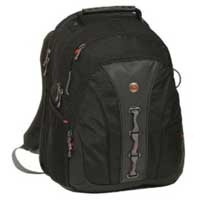
Backpack Swiss Gear Legacy Notebook Backpack (up to 15.6” laptop)

I debated between a number of different bags but decided on this one as it is TSA approved (no need to take laptop out, saves me time and hassle in airport security line) and I have a number of other Swiss Gear, made by Wenger, travel cases or luggage.  After months of use this is the best purchase I’ve made in past year.  I would call this a must buy!

Laptop Lenovo w520 Laptop

Company provided.  It sports an i7, 16 GB RAM, 500 GB HDD, 15.6” screen, smart card reader, Bluetooth, built-in webcam / microphone, extended battery (5-10 hrs depending on usage),  and keyboard light.  I’ve also replaced the DVD drive with a 2nd hard drive: Momentus XT hybrid drive 1st gen (thanks Dan Usher for recommend).  It packs a good punch for its size but is still heavier than most.

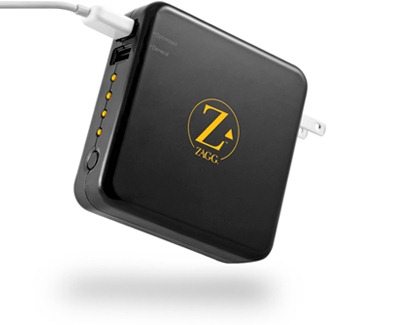
sparq1 ZAGGsparq 2.0

This nifty little device plugs into an outlet and claims to store up to 4 full phone recharges.  It has 2 USB plugs to charge whatever devices you need.  I’ve found it useful a couple of times so far with the only downside being how large it is and the need to remember to plug it in ahead of time.

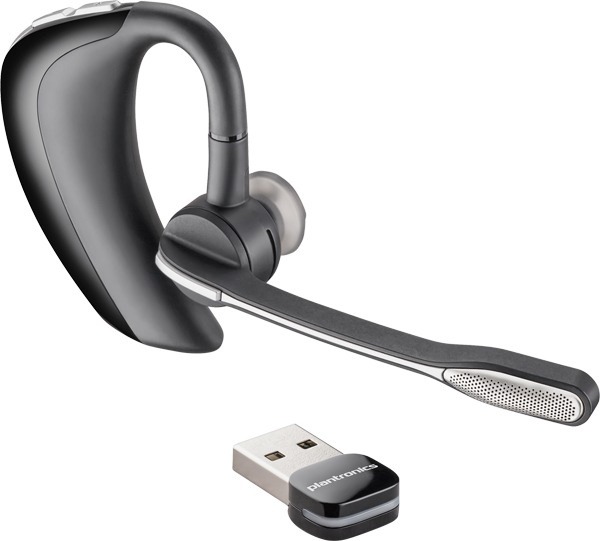
Headset Plantronics Voyageur Pro UC

One of the best Bluetooth earpieces I’ve used.  It is compatible with Microsoft Lync (which I use regularly) and has an optional USB dongle (shown) in case your laptop doesn’t support Bluetooth.  Lasts a good 6+ hrs of talk time and much longer in standby.

Speakers iHome Rechargeable Mini Speakers

A fellow PFE pointed me to these.  They recharge through a USB cable and pump out great, clear sound despite their small size.  Many times when I need to play video with sound a training room won’t have speakers (or poor quality ones).  These more than make up for that.  Picked mine up at Target for fairly cheap.

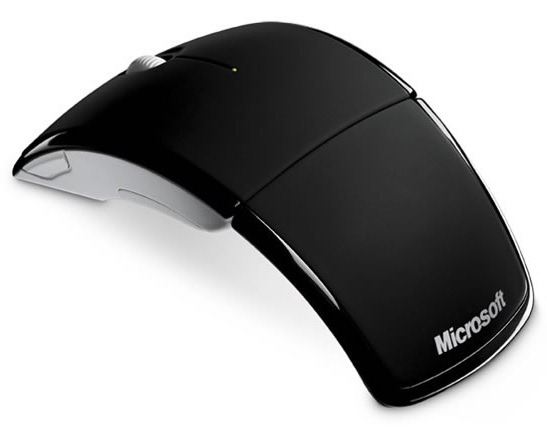
Mouse Microsoft Arc Mouse

My trusty Microsoft Arc Mouse is compact (folds up), light, and lasts for months before needing to change batteries.  It’s also one of the few travel mice that fits my larger hands.  I don’t yet have a “presenter” mouse / pointer but this fills that role as necessary.

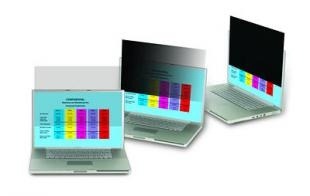
PrivacyScreen 3M Privacy Filter 15.6”

I’m in airports and public places frequently.  It’s an added feeling of security not having nosey people looking over my shoulder at what I’m working on, especially if it is sensitive internal or customer information.

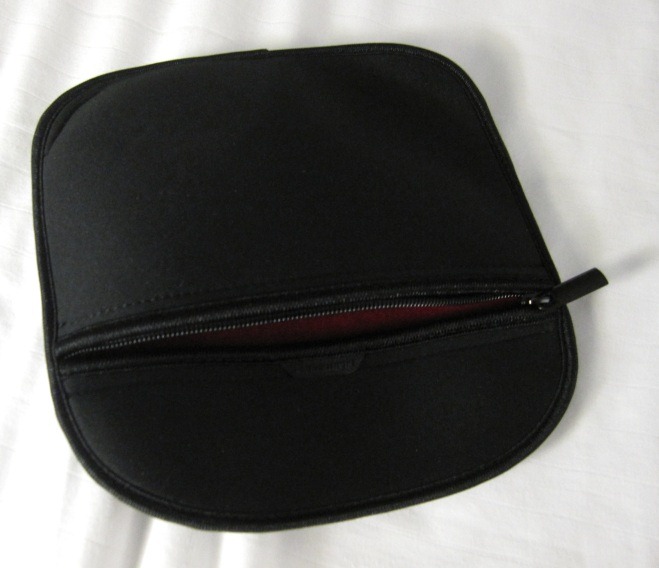
CableBag Cable Bag

I actually repurposed a neoprene case that a set of headphones came in for my cable bag.  It has a zipper, is compact, and stretches slightly due to the neoprene.  Simple and perfect for the job.

Cables Assorted Cables

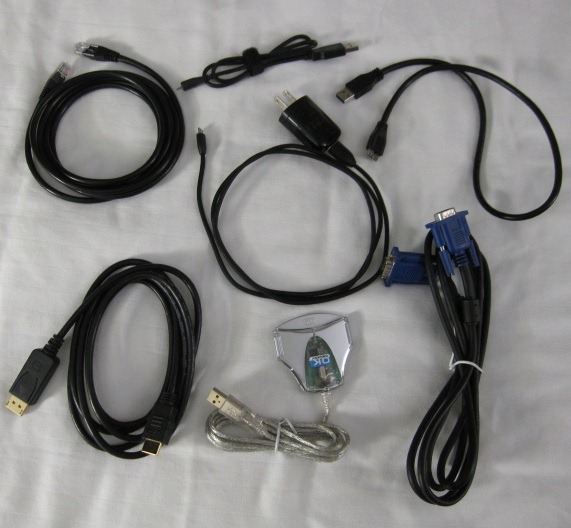
I carry a couple different cables to be prepared when customer / conference doesn’t have them.  VGA to VGA, 7ft Cat-5, DisplayPort to HDMI (Lenovo w520 has DisplayPort out), USB to mini-USB (2 of them), USB 3.0, and backup USB smart card reader.

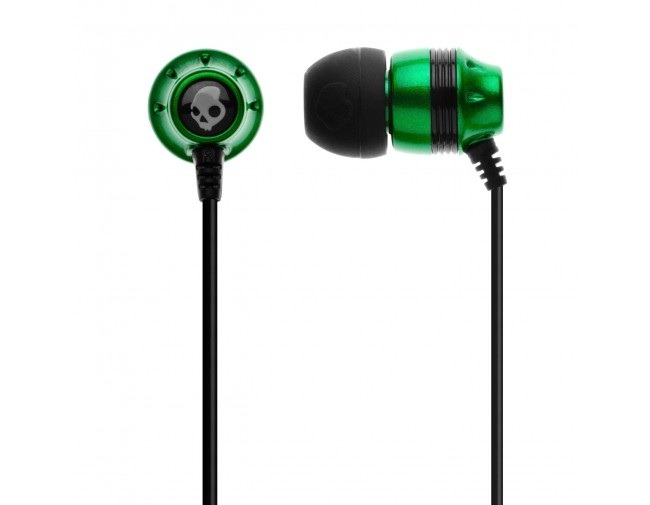
Earphones Skullcandy 2011 Ink’d Green/Black

Best set of in-ear headphones I’ve bought for under $25.  They have decent amount of passive noise cancellation that helps for sleeping on planes, are quite comfortable, and produce great sound.  Even come with 3 sets of rubber tips for different size ears.  Make sure to try out each as you’ll notice big difference between them.

External HD & USB thumb drives

I have a spare USB 3.0 external hard drive that I carry.  It’s for time when I need to transfer large amounts of data from one machine to another locally but that hasn’t been a need recently.  As for the thumb drives these things are so cheap I carry 4 or 5 I’ve collected over the years.  Some are BitLocker-ed and some not.

Snacks, gum, etc..

Too many times I’ve missed meals while in a mad rush during travel or working late.  I carry nutritious snacks like fruit strips, granola bars, and protein bars to tide me over until next meal.


I did leave off a couple of things, notably my phone which you can read about here along with my Windows Phone 7 app recommendations.

Thanks for reading.  Safe and enjoyable travels to you as well.


-Frog Out

Announcing PowerShell Saturday Columbus

    The first ever PowerShell Saturday will be taking place at the local Microsoft office in Columbus, OH on March 10, 2012.  This is a little bit of a delayed announcement as the event has already sold out (yes, sold out a month before the event.)  This will be a one day conference with speakers from around Ohio and a few from further away.  The schedule and speaker lineup has not been officially announced but will be soon.  If you were lucky enough to get one of the 100 registrations you’ll be able to attend sessions (pending any last minute changes) covering topics such as PowerShell for beginners, using PowerShell with various server products, and some advanced topics.  There will also be a script club room where you can collaborate on scripts and network with others.

    It’s been great working with the others on the planning committee (Wes Stahler, Ed “The Scripting Guy” Wilson, Teresa “The Scripting Wife” Wilson, Ashley McGlone, and myself) the past few months to pull this together.  The idea started when I was talking with Ed Wilson at a Microsoft internal training event called GeekReady.  I was discussing with Ed how it would be great to have a PowerShell Saturday conference along the lines of SharePoint Saturdays and SQL Saturdays that Ed and I have both planned and spoken at.  Ed jumped at the idea and now roughly 4 months later it has become a reality.

    I look forward to meeting those that will be joining.  For those that were unable to register this year, depending on how this year goes and if we decide to have another next year we may look into expanding our capacity.  For now we’re focused on making this year’s conference the best it can be.


      -Frog Out