Speaking at SharePoint Cincy and SharePoint Saturday Twin Cities

I have a few conferences I’ll be speaking at in the next few weeks.  The first is SharePoint Cincy in Cincinnati, OH on Friday March 16th.  The other is SharePoint Saturday Twin Cities in Minneapolis, MN on April 14th.  Below are the details for each.  Assuming copies of my book arrive in time for either conference I’ll be giving away a book or two and signing them.  Stop by and see me if you’ll be attending either conference.


Sessions

SharePointCincy2012

Where: SharePoint Cincy 2012

Title: PowerShell for the SharePoint 2010 Developer

Audience and Level: Developer, Intermediate

Abstract: PowerShell is not just for SharePoint 2010 administrators. Developers also get access to a wide range of functionality with PowerShell. In this session we will dive into using PowerShell with the .Net framework, web services, and native SharePoint commandlets. We will also cover some of the more intermediate to advanced techniques available within PowerShell that will improve your work efficiency. Not only will you learn how to automate your work but also learn ways to prototype solutions faster. This session is targeted to developers and assumes a basic familiarity with PowerShell.

Slides and Code download:



2012_SPSTwinCities_Logo_300

Where: SharePoint Saturday Twin Cities 2012

Title: SharePoint 2010 and Integrating Line of Business Applications

Audience and Level: Developer, Intermediate

Abstract: PowerShell is not just for SharePoint 2010 administrators. Developers also get access to a wide range of functionality with PowerShell. In this session we will dive into using PowerShell with the .Net framework, web services, and native SharePoint commandlets. We will also cover some of the more intermediate to advanced techniques available within PowerShell that will improve your work efficiency. Not only will you learn how to automate your work but also learn ways to prototype solutions faster. This session is targeted to developers and assumes a basic familiarity with PowerShell.

Slides and Code download:


-Frog Out
My First Published Book Is Out

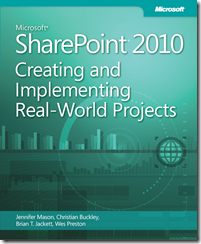
BookCover

   Wow, today is an exciting day for me: I’m officially an author of a published book.  The book is titled Microsoft SharePoint 2010: Creating and Implementing Real-World Projects.  Here is the blurb from the back cover:

Build effective solutions for real-world business scenarios—using out-of-the-box tools in Microsoft SharePoint Server, SharePoint Foundation, and Office 365.  Each chapter in this hands-on book focuses on a single business project, using a standard approach to guide you through the solution-building process from start to finish.  Apply your skills as a SharePoint power user or site administrator—and get started now.

The book is the result of numerous hours of effort and dedication with my great co-authors Jennifer Mason, Wes Preston, and Christian Buckley along with our publisher Microsoft Press.  You can purchase it on O’Reilly and Amazon as well as other retailers that are stocking it.  There are both eBook and print versions available to suit your reading preference.  I’m starting to hear of people receiving their copies of their book and I’m looking forward to hearing any feedback you have on the book.  If / when you pick up a copy please leave some comments or drop me a line.  We’ll be doing book signings at various events so look out for a chance to get a signed copy.


-Frog Out

What I Pack In My Travel Backpack

Disclaimer:, The views and opinions expressed in this post are solely my own and I’m not getting paid or compensated for anything.


A number of friends having been posting about what they pack into their work travel backpack lately.  Since I started traveling frequently with Microsoft I’ve been slowly gathering various pieces of equipment for my own backpack.  I’m at a fairly stable point and felt ready to share my list.  Note that my backpack is intended for a heavy amount of week long travel with a somewhat hefty laptop (below) and versatile equipment for numerous scenarios I can’t always predict.  If you travel frequently feel free to borrow any ideas or leave your recommendations in the comments below.


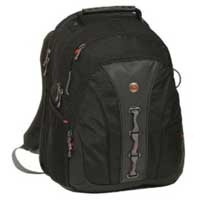
Backpack Swiss Gear Legacy Notebook Backpack (up to 15.6” laptop)

I debated between a number of different bags but decided on this one as it is TSA approved (no need to take laptop out, saves me time and hassle in airport security line) and I have a number of other Swiss Gear, made by Wenger, travel cases or luggage.  After months of use this is the best purchase I’ve made in past year.  I would call this a must buy!

Laptop Lenovo w520 Laptop

Company provided.  It sports an i7, 16 GB RAM, 500 GB HDD, 15.6” screen, smart card reader, Bluetooth, built-in webcam / microphone, extended battery (5-10 hrs depending on usage),  and keyboard light.  I’ve also replaced the DVD drive with a 2nd hard drive: Momentus XT hybrid drive 1st gen (thanks Dan Usher for recommend).  It packs a good punch for its size but is still heavier than most.

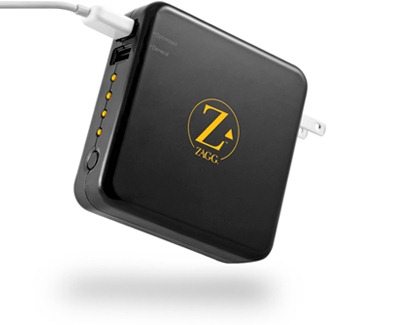
sparq1 ZAGGsparq 2.0

This nifty little device plugs into an outlet and claims to store up to 4 full phone recharges.  It has 2 USB plugs to charge whatever devices you need.  I’ve found it useful a couple of times so far with the only downside being how large it is and the need to remember to plug it in ahead of time.

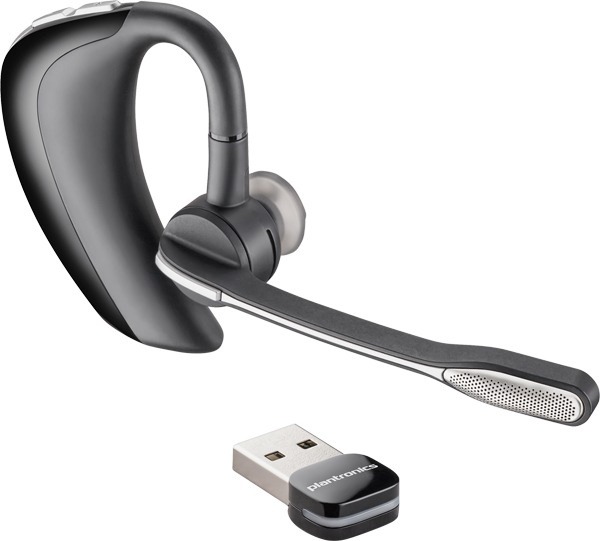
Headset Plantronics Voyageur Pro UC

One of the best Bluetooth earpieces I’ve used.  It is compatible with Microsoft Lync (which I use regularly) and has an optional USB dongle (shown) in case your laptop doesn’t support Bluetooth.  Lasts a good 6+ hrs of talk time and much longer in standby.

Speakers iHome Rechargeable Mini Speakers

A fellow PFE pointed me to these.  They recharge through a USB cable and pump out great, clear sound despite their small size.  Many times when I need to play video with sound a training room won’t have speakers (or poor quality ones).  These more than make up for that.  Picked mine up at Target for fairly cheap.

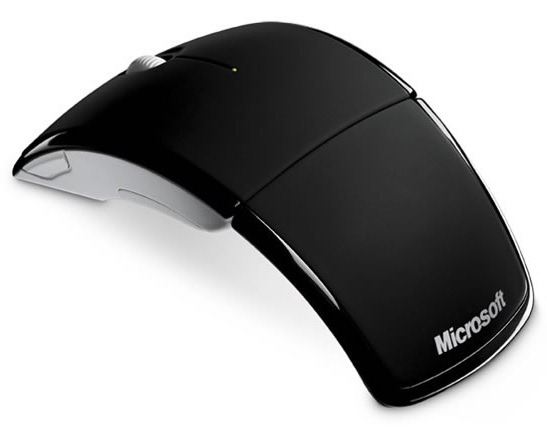
Mouse Microsoft Arc Mouse

My trusty Microsoft Arc Mouse is compact (folds up), light, and lasts for months before needing to change batteries.  It’s also one of the few travel mice that fits my larger hands.  I don’t yet have a “presenter” mouse / pointer but this fills that role as necessary.

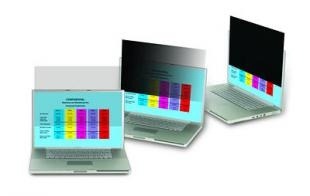
PrivacyScreen 3M Privacy Filter 15.6”

I’m in airports and public places frequently.  It’s an added feeling of security not having nosey people looking over my shoulder at what I’m working on, especially if it is sensitive internal or customer information.

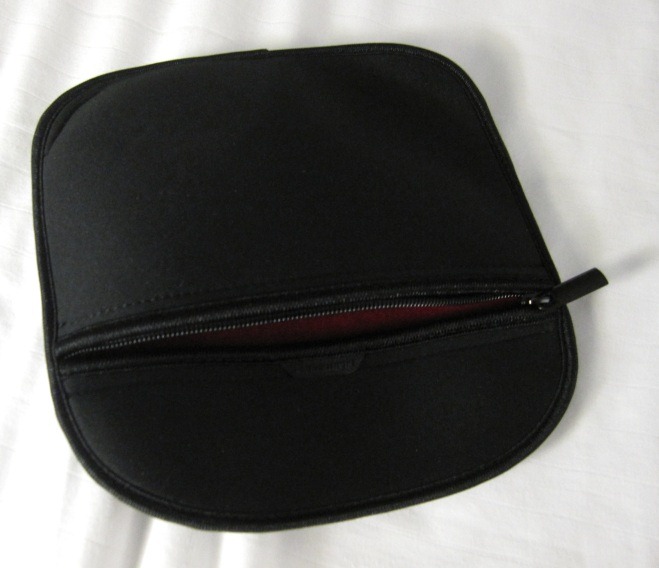
CableBag Cable Bag

I actually repurposed a neoprene case that a set of headphones came in for my cable bag.  It has a zipper, is compact, and stretches slightly due to the neoprene.  Simple and perfect for the job.

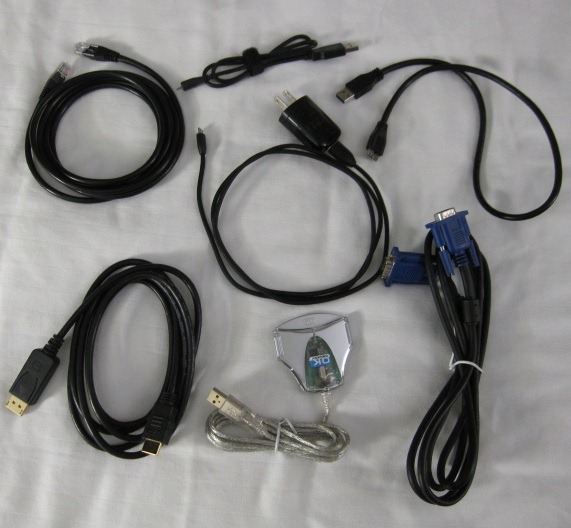
Cables Assorted Cables

I carry a couple different cables to be prepared when customer / conference doesn’t have them.  VGA to VGA, 7ft Cat-5, DisplayPort to HDMI (Lenovo w520 has DisplayPort out), USB to mini-USB (2 of them), USB 3.0, and backup USB smart card reader.

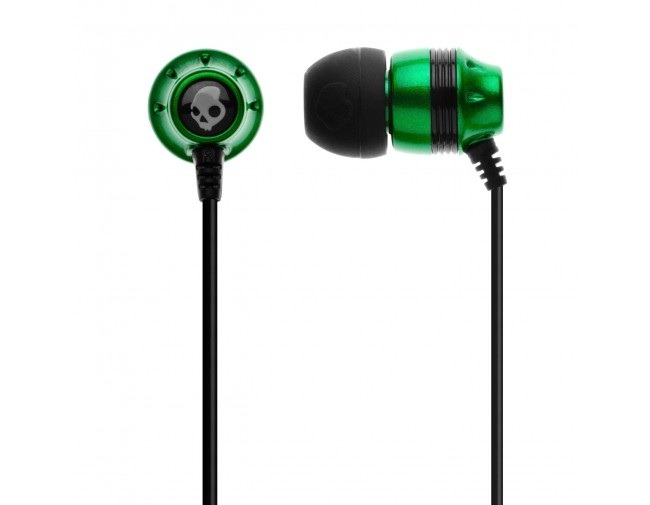
Earphones Skullcandy 2011 Ink’d Green/Black

Best set of in-ear headphones I’ve bought for under $25.  They have decent amount of passive noise cancellation that helps for sleeping on planes, are quite comfortable, and produce great sound.  Even come with 3 sets of rubber tips for different size ears.  Make sure to try out each as you’ll notice big difference between them.

External HD & USB thumb drives

I have a spare USB 3.0 external hard drive that I carry.  It’s for time when I need to transfer large amounts of data from one machine to another locally but that hasn’t been a need recently.  As for the thumb drives these things are so cheap I carry 4 or 5 I’ve collected over the years.  Some are BitLocker-ed and some not.

Snacks, gum, etc..

Too many times I’ve missed meals while in a mad rush during travel or working late.  I carry nutritious snacks like fruit strips, granola bars, and protein bars to tide me over until next meal.


I did leave off a couple of things, notably my phone which you can read about here along with my Windows Phone 7 app recommendations.

Thanks for reading.  Safe and enjoyable travels to you as well.


-Frog Out

Announcing PowerShell Saturday Columbus

    The first ever PowerShell Saturday will be taking place at the local Microsoft office in Columbus, OH on March 10, 2012.  This is a little bit of a delayed announcement as the event has already sold out (yes, sold out a month before the event.)  This will be a one day conference with speakers from around Ohio and a few from further away.  The schedule and speaker lineup has not been officially announced but will be soon.  If you were lucky enough to get one of the 100 registrations you’ll be able to attend sessions (pending any last minute changes) covering topics such as PowerShell for beginners, using PowerShell with various server products, and some advanced topics.  There will also be a script club room where you can collaborate on scripts and network with others.

    It’s been great working with the others on the planning committee (Wes Stahler, Ed “The Scripting Guy” Wilson, Teresa “The Scripting Wife” Wilson, Ashley McGlone, and myself) the past few months to pull this together.  The idea started when I was talking with Ed Wilson at a Microsoft internal training event called GeekReady.  I was discussing with Ed how it would be great to have a PowerShell Saturday conference along the lines of SharePoint Saturdays and SQL Saturdays that Ed and I have both planned and spoken at.  Ed jumped at the idea and now roughly 4 months later it has become a reality.

    I look forward to meeting those that will be joining.  For those that were unable to register this year, depending on how this year goes and if we decide to have another next year we may look into expanding our capacity.  For now we’re focused on making this year’s conference the best it can be.


      -Frog Out

Goals for 2012

   For the past two years I have made goals for myself (2010, 2011) and I am once again making a public list of my goals for the upcoming year.  As I mentioned in my retrospective on 2011 last week I have had quite a few major changes over the past year.  Moving forward into 2012 I am taking these into consideration when looking at my goals.  Without further delay here are my goals for 2012.,


Professional Goals

  • Blog – I will continue to keep up writing this blog at least 2 posts a month.  I continue to get satisfaction in writing posts when I have the time / inspiration.  I also enjoy answering questions and comments from readers, especially when readers mention how something I wrote about helped save them time and effort in their work.
  • Speaking – With my new travel schedule it is much more difficult to attend / speak at user groups and conferences.  In addition, weekend conferences (which are what I typically speak at) take away from the limited time that I do have at home.  In light of this I intend to speak at 3 users groups or conferences this year.
  • Open Source – I intend to revisit my side project on CodePlex called SavePSToSP and release at least 2 new builds for it.  There are some loose ends that I would like to clean up.  Also I plan to open source a project I’ve been working on with friend and fellow PFE Eric Harlan (blog).  At a high level the tool / script cleans up some issues in SharePoint 2010 Central Admin that I’ve run into a number of times.  More details when that’s closer to completion.
  • Volunteering – I will continue to assist with planning of SharePoint Saturday Columbus and Stir Trek conferences as well as serving on the steering committee for Buckeye SPUG.  There is also another conference I’m helping plan that I’ll go into more depth very soon.

Personal Goals

  • Stay Fit – I know, I know.  This sounds like everyone else’s goal for “lose X number of pounds this year.”  I do mean this one though.  Over the past 10 years or so I’ve put on some weight (especially with the new job and eating out too much).  I’ve got a “losing weight” partner and we’re keeping each other in check.  I plan to lose 15 pounds by the end of the year and maintain that weight.
  • Read Books – I intend to read at least 1 book every two months.  I used to be the type that read maybe 2 books a year and all of that reading was smashed into a week or two while on vacation.  Now that I travel frequently and own a Kindle I’ve begun reading much more frequently.  I find it relaxing and a better use of time than games on a phone or surfing the web.


Conclusion

   I’m being a little more conservative with my goals this year to allow room for changes / additions as they may come up.  I thought about making 6 month goals and then doing a mid-year review but decided against that.  Aside from the above goals I have a number of job specific commitments that I will also be fulfilling this year so I didn’t want to overload things.  I have a feeling this is going to be another big year and I’m ready to rise to the challenges and opportunities it brings.


      -Frog Out

PowerShell Check for Empty SecureString Entry

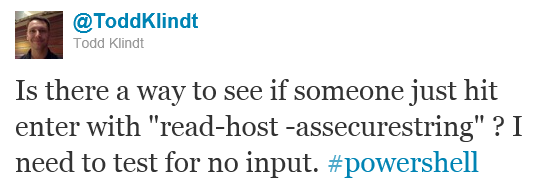
A few days ago my friend Todd Klindt (click here for his blog, I get helpful advice there all the time) asked the following question on Twitter: ‘Is there a way to see if someone just his enter with “read-host –assecurestring”? I need to test for no input. #powershell’.

SecureString1

Problem

As you may know, secure strings in PowerShell are not readable (unless using ConvertFrom-SecureString or some alternate process).  If attempt to check equality of a secure string against an empty string or the null variable $null you will return a result of false even if the user didn’t enter anything.  How can you check if the secure string is empty then?


Solution

What you do have access to is the Length property of the secure string.  Store the input of your secure string into a variable and check it’s length property equals to 0.  If the length is equals to 0 then the user didn’t enter anything.  If it greater than 0 then they did enter something.  See the screenshot example below.

SecureString2

Example:

$myInput = Read-Host -AsSecureString -Prompt "Enter phrase"
if($myInput.Length -eq 0){Write-Host "No input detected"}
else{Write-Host "Input detected"}

Conclusion

This is a very short but not entirely intuitive answer to the question of how to check if a secure string is empty.  At first I thought the length value would be obscured, but since the PowerShell host does visibly show the number of asterisk ‘*’ characters I guess someone else would be able to find out that information easily as well.  I haven’t thoroughly tested this solution but it appears to be working thus far.  Let me know if you find any issues with this approach.

-Frog Out