Announcing “Save PowerShell To SharePoint” CodePlex Project

logo-home[1]

In this post I will talk about a new script I wrote to save PowerShell ISE files to a versioned SharePoint document library as well as a side project I created on CodePlex to host this code and future releases.

Background

Recently I began listening to the PowerScripting Podcast and I’m slowly catching up on old podcasts.  On episodes 121 and 122 (most recent ones I’ve listened to as of this writing) Hal and Jonathan talked about an idea that piqued my interest immediately: using SharePoint as a script repository for PowerShell scripts.  As I was in my car at the time I began to brainstorm ideas on how to accomplish this and what should be in scope for such a project.  As soon as I reached my destination I began working on a proof of concept and subsequent list of additional tasks to flesh this out.  Below you will find an adaptation of my C# code snippet to upload a file to a SharePoint document library (blogged about here) that I worked into a PowerShell script.

Add-Type -TypeDefinition @"

using System.Net;

using System.Text;


public class SharePointFileUploader

{

    public static void UploadFile(string textToOutput, string uploadPath)

    {

        ASCIIEncoding encoder = new ASCIIEncoding();

        byte[] bytesToOutput = encoder.GetBytes(textToOutput.ToString());

        using (WebClient client = new WebClient())

        {

            client.Credentials = System.Net.CredentialCache.DefaultCredentials;

            client.UploadData(uploadPath, "PUT", bytesToOutput);

        }


        return;

    }

}

"@


$documentLibraryPath = Read-Host -Prompt "Enter URL of Document Library";

$documentLibraryPath = $documentLibraryPath.TrimEnd('/')


foreach($aFile in $psise.CurrentPowerShellTab.Files)

{

    $textToOutput = $aFile.Editor.Text;

    $uploadPath = "$documentLibraryPath/$($aFile.DisplayName.Replace('*', ''))";


    [SharePointFileUploader]::UploadFile($textToOutput, $uploadPath)

}

What The Script Does

Note: This script is just a proof of concept that took 15 minutes to write and is not entirely fleshed out.  With that said, this script declares a new type that uploads a string to a specified URL path.  Next it loops through all open files in your PowerShell ISE and uploads the content of these files (even unnamed/unsaved files) to a SharePoint document library using our newly added type.  The beauty is that if you have turned on versioning for your document library the file content will add a new version.

Future Goals

While it is nice to have a script that performs this upload manually, wouldn’t it be nice to have this functionality happen automatically similar to how Microsoft Office Word or Excel auto saves your work every X minutes.  That idea has led me to draw up some additional features I would like to build in as my spare time allows.  Here are a few of those planned features (some already under development or research begun):

  • Create/select SharePoint document library through a form (WPF?)
  • Create background job to automatically run upload process every X minutes while PowerShell host is open
  • Add support for PowerShell console (history commands?)
  • Add support for deploying as a module with configuration settings in profile
  • Add support for SharePoint 2010 native PowerShell commandlets
  • Retrieve past version of script from document library
  • Create help file

After I started writing down these features I began to realize that perhaps there would be enough interest to make this script into a CodePlex project that could be community developed and reviewed.

CodePlex Project

I am happy to announce the creation of Save PowerShell To SharePoint as a new CodePlex project.  I have to admit, I have never created or participated in a CodePlex project up to this point.  Despite my lack of previous involvement I feel like this is a great pet project for me to break into a community project.  This project is currently in the alpha stages while I upload the script code and work on documenting the current status and to-do items.  I’m trying to work towards attainable goals and plan on this being an organic project rather than planning on version X.0 from the get go.

Conclusion

In this post I provided a proof of concept PowerShell script for uploading the currently opened files in a PowerShell ISE instance and also announced the creation of my first CodePlex project Save PowerShell To SharePoint.  Overall I am very excited to begin work on this project as it combines two of my great passions: PowerShell and SharePoint.  A big thank you to Hal and Jonathan for bringing up this idea as I don’t want to steal any of their credit for the formation of the idea.  Once again it amazed me that PowerShell provided a lightweight platform to throw together a useful script in such a short amount of time.  I know that I won’t be able to devote as much time to this as I would like at first, but great things start with baby steps.  Please feel free to try out the script and leave feedback on the project site as development progresses.

-Frog Out

Links

PowerScripting Podcast home page

PowerScripting Podcast Episode 122 – Don Jones Scripting Editor Shoot-Out

PowerScripting Podcast Episode 121 – Jay Dave on UAC and AppLocker

Programmatically uploading files to a SharePoint 2007 document library

Save PowerShell To SharePoint CodePlex project page

Guest Blog Post On “Hey, Scripting Guy!” Published

ee516741_HEY_SCRIPTING_GUY_left

A few days ago I mentioned that I had been busy recently writing a guest blog post for a fairly high profile blog.  Today I can happily announce the details.  My article “Deploy a PowerShell Module with SharePoint Cmdlets” was published on the Hey, Scripting Guy! blog this morning.  Click here for the link.

Anyone familiar with Windows PowerShell will most likely know the Scripting Guy Ed Wilson and his teammate Craig Liebendorfer.  A little over a month ago Ed asked if I would submit a guest blog post and I eagerly agreed.  Please check it out and leave some feedback if you have any.


-Frog Out


Links

Deploy a PowerShell Module with SharePoint Cmdlets

http://blogs.technet.com/b/heyscriptingguy/archive/2010/09/29/deploy-a-powershell-module-with-sharepoint-cmdlets.aspx?utm_source=twitterfeed&utm_medium=twitter

Slides and Scripts from BuckeyeSPUG August 2010 Presentation

    This month I had the pleasure of presenting at the BuckeyeSPUG (formerly Central Ohio SPUG) meeting here in Columbus, OH.  This is the first time I was the main presenter at our user group, having done small presentations along with other presenters in past meetings.  The attendees had some great questions and hopefully learned some new tricks to use on their SharePoint 2007 farms.  Thanks to everyone who came out.  Below are the slides and demo scripts for those interested.


Slides and Scripts: click here

Recap SharePoint Saturday Columbus 2010 with Slides and Demo Scripts

SharePointSaturdayColumbus     This past Saturday I am very pleased to say that SharePoint Saturday Columbus 2010 (SPSColumbus) was a success.  I’m happy to say that for many reasons, not least amongst 1) I had an awesome team help me plan this event, 2) the session I presented went really well, and 3) the early feedback I’ve gotten from those who attended has been very positive.  This marks the first SharePoint Saturday in Columbus and second in Ohio (SPSCleveland was last Novermber.)  It’s great to see SharePoint Saturdays expanding across the US and now even to Europe (SPSUK).

The Team

I can’t talk about SPSColumbus being a success without mentioning my team.  Jennifer Mason, Sean McDonough, Nicola Young, Michelle Caldwell, Joe Hartsel, and myself have been meeting almost weekly for the past four months to take this event from just an idea in our minds to a complete event.  I can honestly say this event wouldn’t have been a fraction of how great it was without all of their time, hard work, and commitment.  To them a great thanks goes out.

Numbers and Twitter

In terms of numbers we are still tabulating the final results but we had just under 100 attendees, 24 speakers, and about 15 people representing sponsors putting us around 140 total.  This was great to see as past SharePoint events in Columbus draw anywhere from 50-80 attendees.  The twitter traffic and general buzz was really high yesterday which was great to see (SPSColumbus Twitter results.)

Photos, Slides, and Scripts

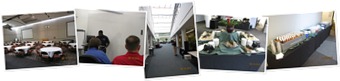
Aside from ensuring the event ran smoothly throughout the day, I also gave my “Managing SharePoint 2010 Farms with PowerShell” presentation and also snapped a few pics.  Check out Marcy Keller’s first batch of photos here for a much more professional looking album.  Below are my albums (FB and Live), slides, and demo scripts.


Facebook album with tagging and captions (click here)

MS Live album, larger size (click below)


Slides and demo scripts (click here)


Conclusion

SharePoint Saturday Columbus was a big success in my mind and I’m so glad to be a part of it.  It’ll be nice to have part of my daily life back now that the SPSColumbus is completed.  I do have a few other side projects that will continue to keep me busy the next two months, but I’m hoping to keep up with some technical blog posts now that I have a few week break until the next conference I’m speaking at (SPTechCon Boston.)  If you attended SPSColumbus and had any feedback (positive, negative, or otherwise) please feel free to send it my way via email or comment here.  Thanks and happy SharePoint-ing.


-Frog Out

Recap SharePoint Saturday New York City 2010 with Slides and Demo Scripts

This past weekend I gave my “Managing SharePoint 2010 Farms with PowerShell” talk at SharePoint Saturday New York City (SPSNYC) 2010.  Thanks to everyone that attended my talk.  They had a lot of great questions and seemed engaged.

I’ve begun to lose track of how many SharePoint Saturdays I’ve attended or spoken at now, but it’s close to 9 and 7 respectively.  This was a great trip as it’s been over 10 years since I’ve been to New York and this time around held it’s own set of stories to share.  For those just interested in the slides and demo scripts those are provided just below.  For those interested in some of stories and photos from this trip proceed further down.

Slides and Scripts

Download here

Pictures

Pictures on Facebook (with tagging)

Facebook album

Higher Res pictures on Windows Live album

Stories

One great story from this trip involves my last blog post about blue screening the morning of my presentation.  Luckily I was able to recover within a few hours and give my presentation later in the day.

The first night in New York was also great as we followed up the speaker dinner with a Japanese karaoke house and then Russian bar.  Special thanks to two of our group members who ordered some excellent food and drinks (including caviar and borsch soup.)  That diversity of cultures is something that we here in Columbus, OH don’t get as much exposure to.

Following the conference on Saturday I was able to meet up with an old high school friend who showed me around downtown and east village New York.  The pizza at Lombardi’s (pictures in albums above) was a true highlight of the trip.

The one negative story from the trip (aside from blue screening above) was that I missed out on the speaker photo after the conference.  We assembled for it but then split up to do some clean up.  As I was returning from another room fixing up chair arrangements they just finished up taking the pictures.  Only a minor disappointment.

Conclusion

SharePoint Saturday New York was a big success with over 200 attendees (I heard close to 270).  My next SharePoint Saturday will be in my new hometown for SharePoint Saturday Columbus.  In addition to being the event coordinator I’m also speaking at the conference (same presentation for SharePoint 2010 and PowerShell.)  there is still a week left to register so if you are in the area feel free to sign up: register here.


-Frog Out

Speaking at SharePoint Saturday New York 2010

New_York_City_Statue_of_Liberty_resized

With the busy schedule I’ve been keeping lately I realized I hadn’t even posted on here that I will be speaking at SharePoint Saturday New York (SPSNY) 2010 this weekend.  I will be presenting my “Managing SharePoint 2010 Farms With PowerShell” session for the second time ever.  The last time I presented this talk SharePoint 2010 hadn’t RTMed yet so I’ve updated the slides and demo scripts a little bit since then.  Aside from giving this presentation I’m also excited to be sitting in on a number of other amazing speakers that will also be presenting.  You can find the abstract below.  If you’ll be attending SPSNY feel free to stop in to my session.


Title: Managing SharePoint 2010 Farms With PowerShell”

Audience and Level: IT Admin, Beginner

Abstract: “Having you been using STSADM (or worse hand editing processes) to manage your SharePoint 2007 farms? Are you hearing about needing to learn PowerShell to manage SharePoint 2010 farms? This session will serve as part introduction to PowerShell and part overview of how you can use PowerShell to more efficiently and effectively manage your SharePoint 2010 farm. This session is targeted to farm administrators and IT pros and no previous experience with PowerShell is required.”


-Frog Out