Blogging this as a simple reminder to myself on the default (out of the box) value of the Search Service Application index location in SharePoint 2013. Invariably I have to look this up every couple of months when supporting customers and only ever find the PowerShell commands to retrieve it. Putting both on here. Hopefully this saves someone else a few minutes of their day as well.
PowerShell Commands
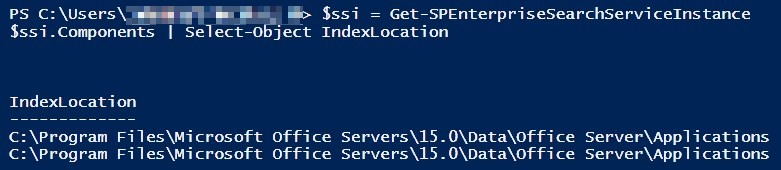
$ssi = Get-SPEnterpriseSearchServiceInstance
$ssi.Components | Select-Object IndexLocation
Default Value
C:Program FilesMicrosoft Office Servers15.0DataOffice ServerApplications
-Frog Out
 The Frog Pond of Technology
Originally posted on: https://briantjackett.com/archive/2015/04/02/default-search-index-file-location-for-sharepoint-2013.aspx#645062cheers for this.Saved me a lot of time to find where they were storing the index files.:)
LikeLike
Originally posted on: https://briantjackett.com/archive/2015/04/02/default-search-index-file-location-for-sharepoint-2013.aspx#646548Yes, great reference. I also need this info every “once-in-a-while.” Thanks
LikeLike
Good one indeed.
LikeLike
Hey Brian, do you know hot to change index location on stanalone installation. When I try to create New-SPEnterpriseSearchIndexComponent in my dev I get an error
The Operation is not allowed when you have a Standalone Installation
LikeLike
Sorry I’m not familiar if that is configurable
LikeLike